Charger Cleaning
Not yet updated for generation 7
This section describes the charger cleaning procedure for earlier NAIS generations. The updated procedure for generation 7 will be published shortly.
Indicators
Charger cleaning can help with the following problems:
- The charger current is fluctuating.
- The charger current control voltage is at maximum, meaning the controller cannot increase the current to the setpoint — the current is too low.
- The charger current control voltage is at minimum, meaning the controller cannot reduce the current to the setpoint — the current is too high.
Procedure
-
Remove the top cover and open the side doors or remove the side covers of the instrument.
-
Disconnect the environmental sensor plug and the background filter plug from the inlet tube.
-
Disconnect the inlet tube from the analyzers.
-
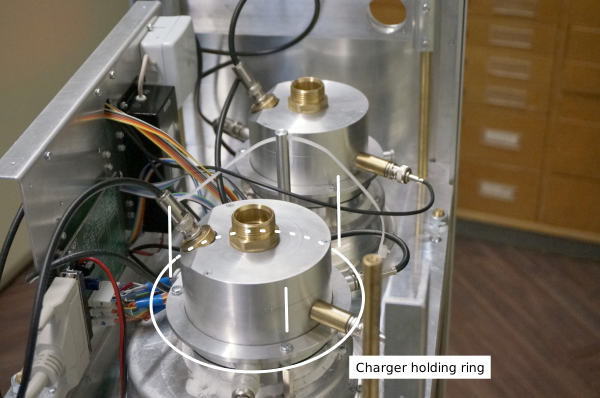
Remove the three screws from both charger holding rings
-
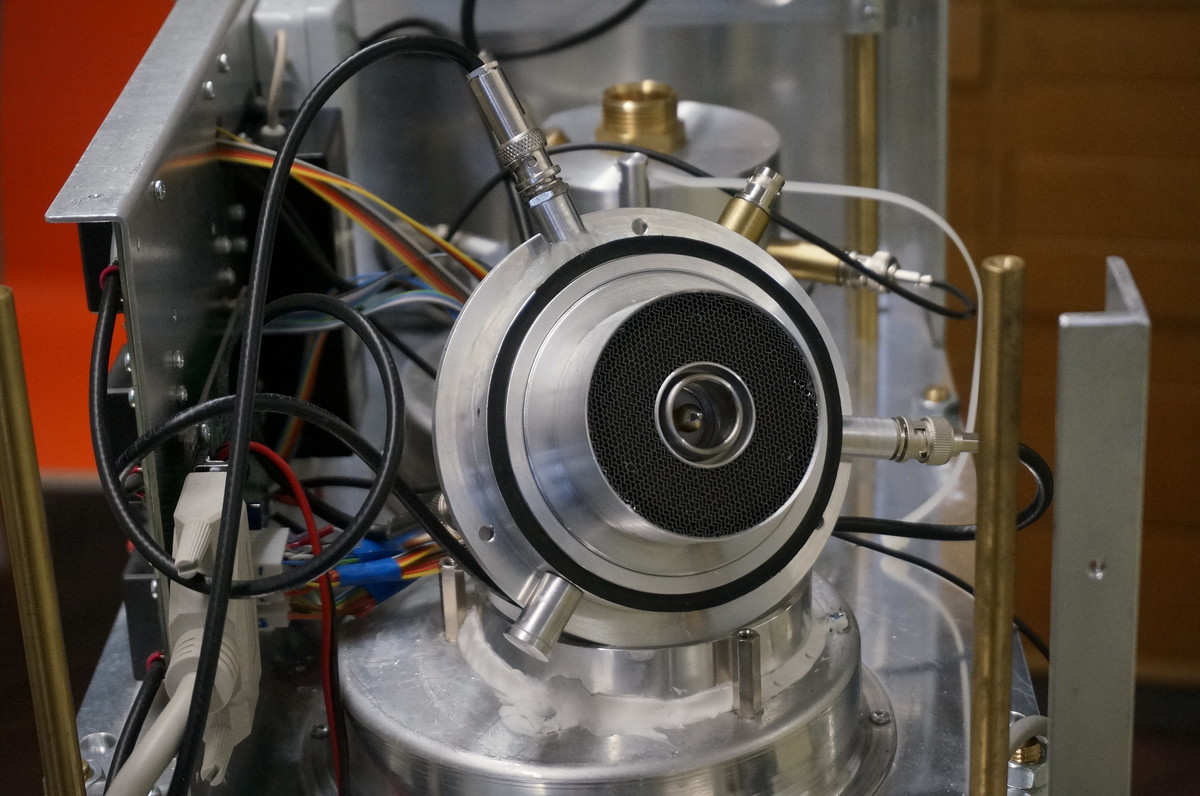
Take the charger out.
You may disconnect some coaxial plugs from the charger if the cables are in the way. Note that the plugs and sockets have corresponding numbers.
-
Pull the needle out with pliers or tweezers.
-
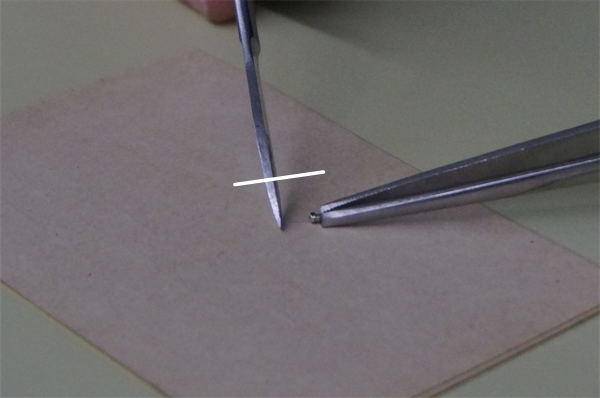
Carefully scrub the needle with tweezers or a sharp knife.
-
(Thorough cleaning) Unscrew the honeycomb flow straightener.
-
(Thorough cleaning) Unscrew the filter electrode and clean it with a cloth or paper wipes and alcohol.
-
Follow the steps in reverse to put everything back together.
-
When reattaching the needle, make sure that it remains straight.
-
If you have instrument with the charger holder ring then tighten the ring screws first very lightly and then stronger step by step so that the charger is pressed down evenly from all sides.