Discharger Cleaning
Not yet updated for generation 7
This section describes the discharger cleaning procedure for earlier NAIS generations. The updated procedure for generation 7 will be published shortly.
Indicators
Discharger cleaning can help with the following problems:
- The discharger current is fluctuating.
- The discharger current control voltage is at maximum, meaning the controller cannot increase the current to the setpoint — the current is too low.
- The discharger current control voltage is at minimum, meaning the controller cannot reduce the current to the setpoint — the current is too high.
Procedure
-
Remove the top cover of the instrument.
-
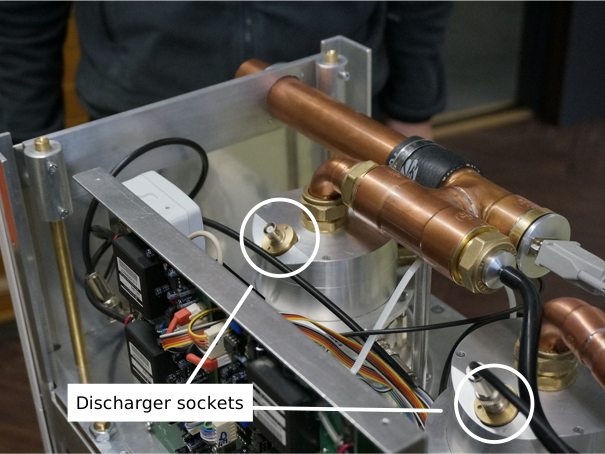
Disconnect the discharger coaxial plug.
-
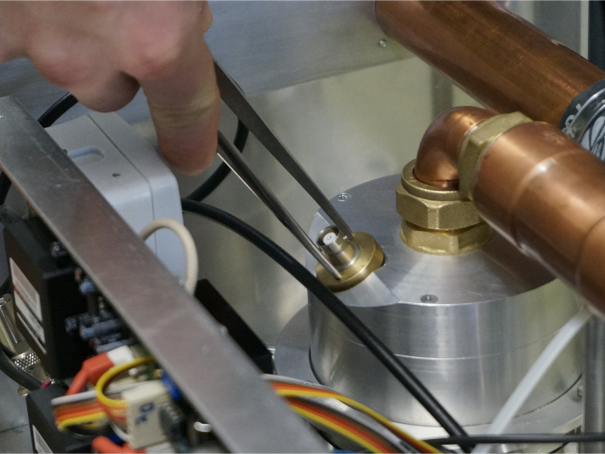
Unscrew the discharger needle holder. You may use narrow pliers or tweezers in the two holes.
-
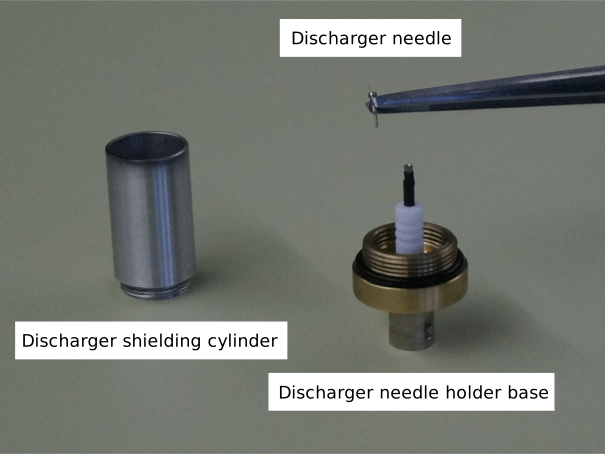
Clean the discharger shielding cylinder with a tissue paper or cloth and alcohol.
-
Check that the o-ring around the base is in good condition.
-
Grab the needle from the neck holder with tweezers or pliers and carefully pull it out.
-
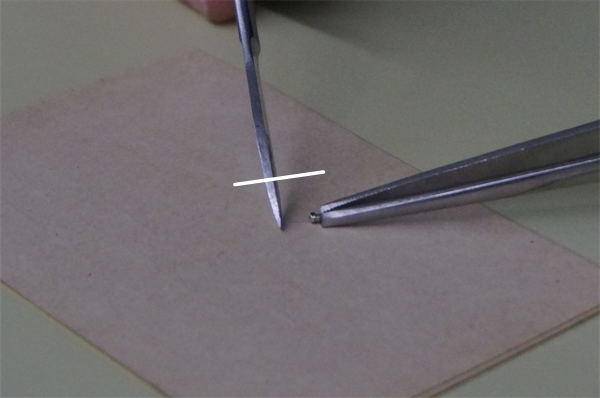
Carefully scrub the needle with tweezers or a sharp knife.
-
Push the needle back in. Make sure the needle remains straight.
-
Screw the discharger needle holder back.
-
Reconnect the discharger coaxial plug.